• About
  • Contact
  • Privacy Policy
  • Terms
  • Editorial Policy
  • Affiliate Disclosure
No Result
View All Result
  • Login
Eight to Infinity
  • Home
  • Parenting
    • Child Safety
    • Family Wellness
    • Kids Activities
    • School & Learning
  • Practical Living
    • Cleaning
    • Home Décor
    • Home Improvement
    • Organization
    • Pest Control
  • Pet Care
    • Bird Care
    • Budgie Care
    • Beginner Pet Guides
  • Technology
    • AI Tools
    • Apps
    • Online Safety
    • How-To Tech
  • Money & Work
    • Career
    • Entrepreneurship
    • Financial Planning
    • Investment Advice
    • Making Money Online
  • Food
    • Cooking Tips
    • Recipes
  • Health
    • Healthy Eating
    • Mental Health
    • Wellness
  • Education
    • Career Education
    • Student Guides
    • Study Abroad
  • Travel
    • Destinations
  • Science
    • Facts
  • Lifestyle
    • Beauty
    • Fashion
      • Footwear
    • All Post
  • Home
  • Parenting
    • Child Safety
    • Family Wellness
    • Kids Activities
    • School & Learning
  • Practical Living
    • Cleaning
    • Home Décor
    • Home Improvement
    • Organization
    • Pest Control
  • Pet Care
    • Bird Care
    • Budgie Care
    • Beginner Pet Guides
  • Technology
    • AI Tools
    • Apps
    • Online Safety
    • How-To Tech
  • Money & Work
    • Career
    • Entrepreneurship
    • Financial Planning
    • Investment Advice
    • Making Money Online
  • Food
    • Cooking Tips
    • Recipes
  • Health
    • Healthy Eating
    • Mental Health
    • Wellness
  • Education
    • Career Education
    • Student Guides
    • Study Abroad
  • Travel
    • Destinations
  • Science
    • Facts
  • Lifestyle
    • Beauty
    • Fashion
      • Footwear
    • All Post
No Result
View All Result
Eight to Infinity
No Result
View All Result
Home Technology
Move a research tab into its own Chrome window

Move a research tab into its own Chrome window

by Nahida Azmin Nishu
November 18, 2026
in Technology
0
ADVERTISEMENT
3
SHARES
20
VIEWS
Share on FacebookShare on Twitter

Move a research tab into its own Chrome window

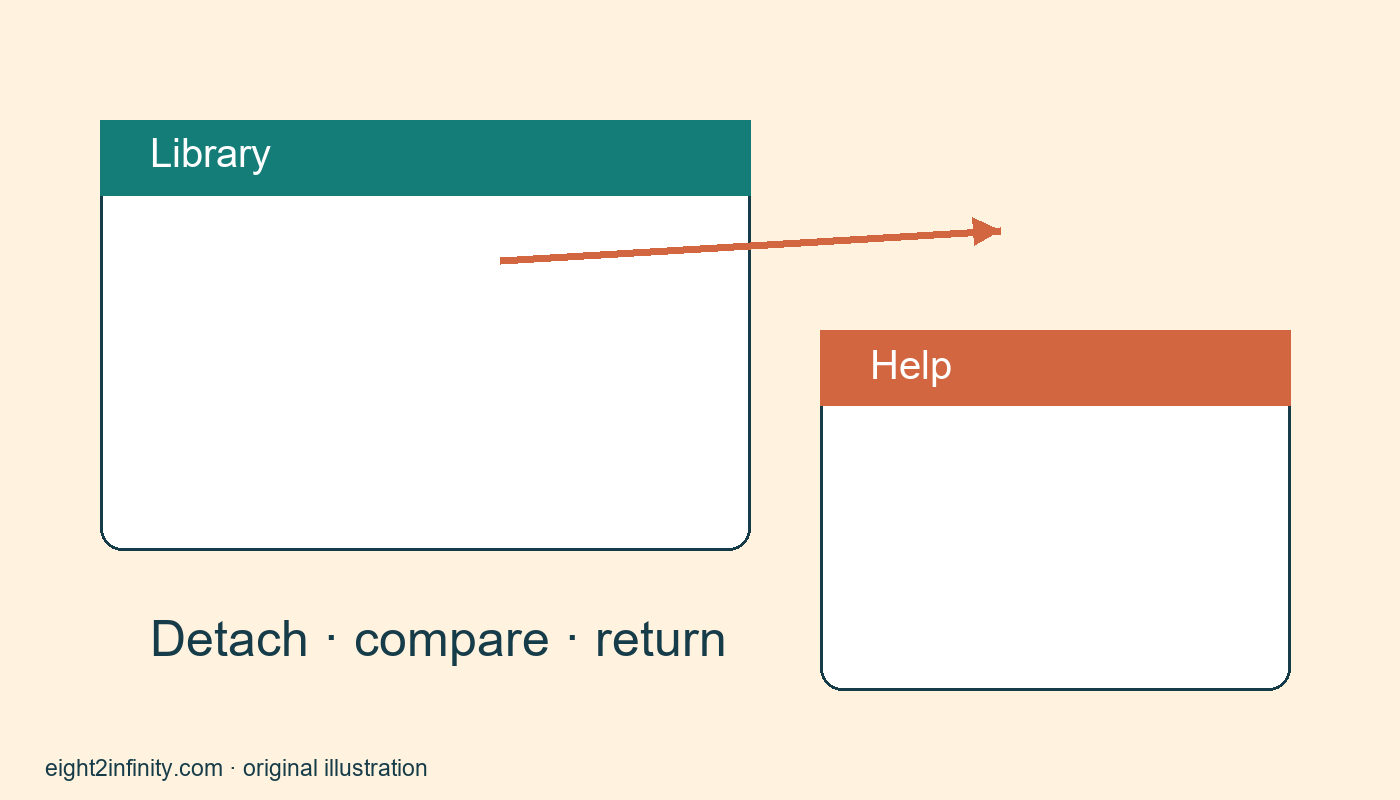
Move a Chrome tab into its own desktop window by dragging the tab away from the tab strip. This can help you compare one reference page with a working page side by side. The tab remains the same open page in a different window. Moving it does not create a saved copy, change the website’s permissions, or automatically arrange the two windows on your screen.

Google’s official tab management help describes dragging tabs out of a Chrome window and moving them between windows. The exercise below uses desktop Chrome with a pointing device. Touch controls, operating system window arrangements, and managed browser policies can differ. Use public reference pages for practice so you can concentrate on the movement without risking unsaved form entries. This is an authored exercise rather than a claim of testing on your exact operating system and display configuration.

ADVERTISEMENT

Set up a small comparison task

Open a fresh Chrome window with two public pages. One can be Chrome Help, and the other can be a public library’s opening-hours page. The example is about comparing windows, not about the accuracy of any particular library schedule. Verify current service information directly when you need it. Keep any existing account sessions or active work in their original windows. Starting with a separate practice window makes an accidental movement easier to understand and undo.

Click each tab once and read its title so you know which page you intend to detach. If a title is shortened, hover or select the page to identify it. Choose the help tab as the reference. Place the pointer on the tab itself, hold the primary mouse button, and drag the tab away from the strip into an open area of the screen. Release when Chrome presents it as a separate window. Avoid grabbing the address bar or a link inside the page.

Confirm that you moved the right thing

Look at both windows. The original should still contain the library page, and the new window should contain the help page. Read their address bars or page headings if the visual change is unclear. You have reorganized an open tab rather than downloaded its contents. A page can still refresh, expire, or require a connection after it moves. If you need a durable note from the reference, save that separately through an appropriate method rather than treating a separate window as storage.

Resize and position the windows using your operating system’s ordinary window controls. Leave both headings visible and make the text readable. There is no universal ideal split because screen size, zoom, and page layout vary. On a small screen, alternating between tabs may be more comfortable than forcing two narrow windows side by side. The method is useful only if the resulting arrangement makes your comparison easier. You can return the tab to its original window whenever the extra window becomes clutter.

Compare without losing context

Use the reference window for one question at a time. For example, read an instruction in Chrome Help and look back at the working window to locate the corresponding browser control. Keep the page you are reading and the browser interface conceptually separate. A control described in the help article may belong to Chrome itself rather than to the library website. This distinction prevents clicking around the page body when the instruction actually refers to a tab or browser menu.

If you take notes, record the source address and the point you learned. Do not copy a whole article just because it is open beside your work. A short personal summary with the link is often sufficient for a learning task. Keep confidential information out of shared screenshots if you later show the arrangement to someone else. Moving a tab into another window does not remove account names, notifications, or other information that may be visible elsewhere on the screen.

Return the tab when finished

Drag the tab from the separate window into the tab strip of the original Chrome window and release it at the intended position. Depending on window size and overlap, you may need to bring the destination window forward first. Aim for the tab strip rather than the page body. Confirm that both tabs are now in one window. If the separate window had only that tab, the empty source window may close as part of the normal move.

ADVERTISEMENT

If dragging does not behave as expected, stop and inspect the windows before repeating the gesture. You may have moved the entire window by its title area instead of selecting the tab. You may also be looking at different browser profiles or an incognito window, where movement can be constrained. Do not assume every tab can move between every type of window. Repeat the exercise with two ordinary windows in the same practice profile and consult official help for other cases.

Check whether the arrangement helped

For a reader exercise, detach one reference page, place it beside a second page, and identify three facts without repeatedly switching tabs. Then put the reference tab back. Which arrangement required less effort on your screen? Note whether the page became too narrow, whether text remained readable, and whether you could still identify the correct window quickly. A useful comparison includes the disadvantages of the arrangement instead of assuming that more windows always improve productivity.

Close the temporary pages only after saving any notes you need. Do not leave several nearly identical windows open merely because moving tabs was successful. The desired outcome is a deliberate working arrangement and a reliable way to return to one window. You should be able to distinguish moving a tab, moving a whole window, opening a second copy of a page, and saving page content. Those actions can look related on screen while serving quite different purposes.

Sources and related reading

Primary reference and scope

Rename and group a few Chrome bookmarks

Tags: move a research tab into its own chrome windowtechnology
Previous Post

Pin one reference tab in desktop Chrome

Next Post

Find a missing rectangle side from its perimeter

Nahida Azmin Nishu

Nahida Azmin Nishu

Related Posts

Choose two specific pages for desktop Chrome startup
Technology

Choose two specific pages for desktop Chrome startup

November 18, 2026
Set one familiar page behind Chrome Home button
Technology

Set one familiar page behind Chrome Home button

November 18, 2026
Pin one reference tab in desktop Chrome
Technology

Pin one reference tab in desktop Chrome

November 18, 2026
Change sound permission for one website in Chrome
Technology

Change sound permission for one website in Chrome

November 16, 2026
Next Post
Find a missing rectangle side from its perimeter

Find a missing rectangle side from its perimeter

No Result
View All Result
ADVERTISEMENT

Categories

  • All Post (4)
  • Business and Finance (61)
  • Education (86)
  • Facts (28)
  • Food and Drink (86)
    • Cooking Tips (19)
  • Health and Fitness (85)
    • Mental Health (13)
  • Lifestyle (106)
  • Parenting (51)
  • Pet Care (53)
  • Practical Living (88)
    • Organization (18)
  • Science (15)
  • Technology (94)
  • Travel (78)
    • Destinations (10)

Recent.

Check whether a flour instruction means sift before or after measuring

Check whether a flour instruction means sift before or after measuring

November 18, 2026
Prepare lemon zest before measuring the rest of a bake

Prepare lemon zest before measuring the rest of a bake

November 18, 2026
Find a right triangle area by halving a rectangle

Find a right triangle area by halving a rectangle

November 18, 2026
ADVERTISEMENT
Facebook Youtube Instagram

Eight to Infinity is a online magazine website where you can find something that you might interested to know or find something new to know.

Category

  • All Post (4)
  • Business and Finance (61)
  • Cooking Tips (19)
  • Destinations (10)
  • Education (86)
  • Facts (28)
  • Food and Drink (68)
  • Health and Fitness (72)
  • Lifestyle (106)
  • Mental Health (13)
  • Organization (18)
  • Parenting (51)
  • Pet Care (53)
  • Practical Living (70)
  • Science (15)
  • Technology (94)
  • Travel (78)

Tags

age appropriate chores for kids and Australia awareness benefits Bird Care climate change college students Cooking Tips dos Education exploring fashion future Galah Cockatoo German culture hair care health Healthy Lifestyle higher education home remedies how how to train a puppy basic commands impact Instant Noodles intersection mental health education mental illness natural remedies Nutrition Organization parakeet care Parenting Tips Pet Birds Practical Living Rome screen time rules for kids stigma street technology the travel wildlife Windows 11 world

© 2024 Eight to Infinity - Developed by ZaeimTech.

Welcome Back!

Login to your account below

Forgotten Password?

Retrieve your password

Please enter your username or email address to reset your password.

Log In
Ads Blocker Image Powered by Code Help Pro

Ads Blocker Detected!!!

We have detected that you are using extensions to block ads. Please support us by disabling these ads blocker.

Refresh
No Result
View All Result
  • Home
  • Parenting
    • Child Safety
    • Family Wellness
    • Kids Activities
    • School & Learning
  • Practical Living
    • Cleaning
    • Home Décor
    • Home Improvement
    • Organization
    • Pest Control
  • Pet Care
    • Bird Care
    • Budgie Care
    • Beginner Pet Guides
  • Technology
    • AI Tools
    • Apps
    • Online Safety
    • How-To Tech
  • Money & Work
    • Career
    • Entrepreneurship
    • Financial Planning
    • Investment Advice
    • Making Money Online
  • Food
    • Cooking Tips
    • Recipes
  • Health
    • Healthy Eating
    • Mental Health
    • Wellness
  • Education
    • Career Education
    • Student Guides
    • Study Abroad
  • Travel
    • Destinations
  • Science
    • Facts
  • Lifestyle
    • Beauty
    • Fashion
      • Footwear
    • All Post

© 2024 Eight to Infinity - Developed by ZaeimTech.

This website uses cookies. By continuing to use this website you are giving consent to cookies being used. Visit our Privacy and Cookie Policy.